Custom Card Sleeves: Printing, Materials, and Minimum Orders
- Share
- publisher
- GUARD TCG Team
- Issue Time
- Sep 12,2026
Summary
Custom card sleeves explained: how printing methods (digital, offset, gravure) affect cost and MOQ, which film to choose (PP, CPP, PET, gloss or matte), design file rules (CMYK, 300 DPI, 3 mm bleed), single-sided vs. double-sided vs. full-wrap printing, MOQ and price breaks, sample-to-production timeline, and how to choose a supplier.
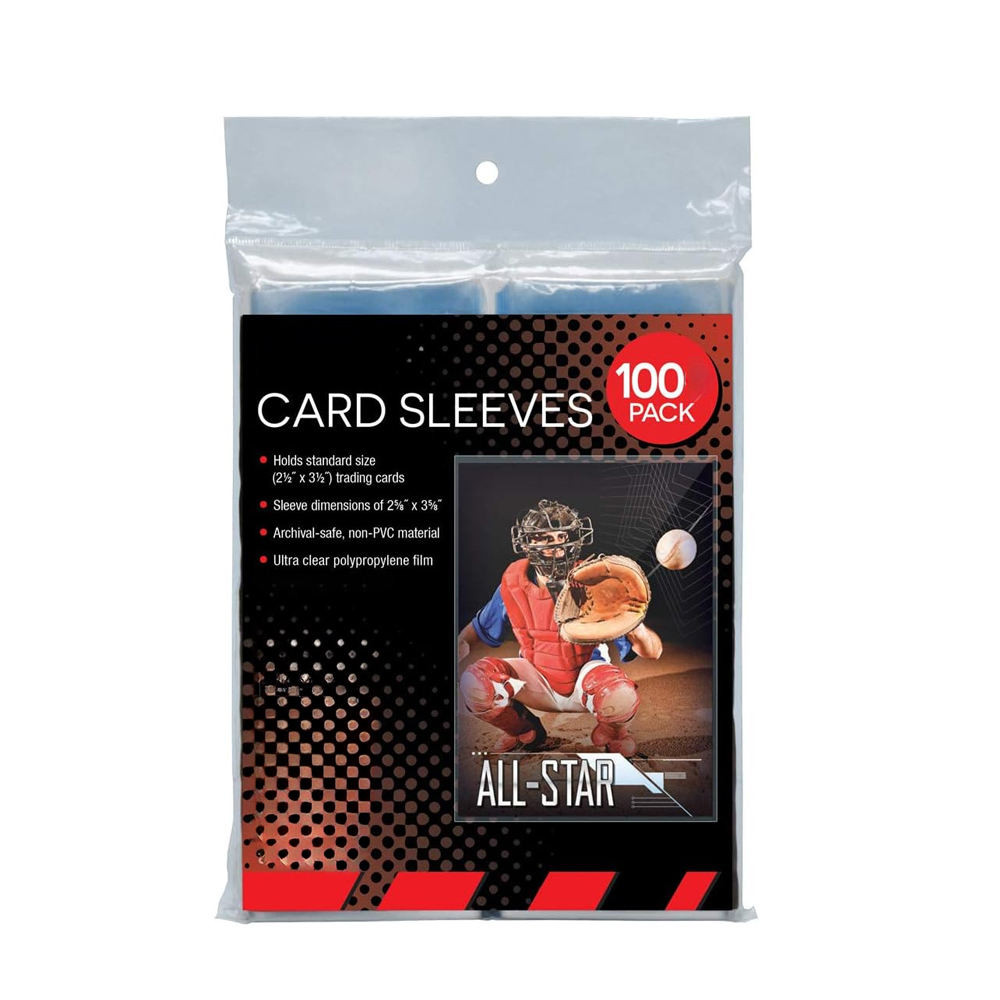
Custom Card Sleeves: Printing, Materials, and Minimum Orders
Custom card sleeves are printed sleeves that carry your own artwork, logo, or colorway instead of a generic clear film. Three decisions drive almost the entire cost: the printing method (digital for short runs, offset or gravure for volume), the material and finish (PP or CPP film, gloss or matte, clear front with a printed back), and the minimum order quantity (as low as 500 pieces for digital, 10,000+ for offset). The most cost-effective configuration for most brands is a clear front with single-sided printing on the back, which keeps plate and ink costs low while giving players a branded sleeve. Everything else - bleed, color mode, sample rounds, and lead time - follows from those three choices.
This guide is written for brand owners, game stores, and importers who want printed card sleeves that actually fit standard TCG cards and survive tournament play. It covers the printing methods side by side, the film options that matter at the table, the design file rules that prevent a rejected artwork, how MOQ and price breaks really work, and the step-by-step timeline from artwork to mass production. If you would rather see the finished formats first, browse the card sleeves and protective films range and then match the structure to your own artwork.
What Counts as a Custom Card Sleeve?
A custom card sleeve is any sleeve where you control the visible design or branding, rather than buying a stock clear product. In practice there are four levels of customization, and they sit at very different price points:
- Packaging only: stock clear sleeves with your printed box, header card, or hang tag. Lowest cost, fastest lead time, no printing on the sleeve itself.
- Single-sided print: a clear front window plus artwork or a logo printed on the back. The default choice for most brands and the configuration recommended for first orders.
- Double-sided or full-wrap print: artwork on both faces, or printing that wraps the full outside of the sleeve. Higher ink and registration cost, best for collector editions.
- Fully custom format: non-standard dimensions, custom opening (top-load or side-load), textured or holographic film, and a bespoke die line.
All four are produced from the same base film. What changes is the print cylinder or plate, the number of passes through the press, and the minimum run the line needs to be economical. That is why the same sleeve can cost a few cents or several times that, depending on how you specify it.

A clear-front, printed-back sleeve is the configuration most brands start with: the card face stays fully visible while your artwork carries the back of the sleeve.
Printing Methods Compared: Digital vs. Offset vs. Gravure
Printing method is the single biggest lever on unit cost, and it is almost entirely a function of volume. Digital printing has no plate cost, so it wins on short runs and prototypes. Offset gives the best balance of color accuracy and per-unit cost at mid volume. Gravure (rotogravure) has the highest setup but the lowest per-unit cost and the most consistent color once running, which is why it dominates large licensed programs.
| Feature | Digital Printing | Offset Printing | Gravure Printing |
|---|---|---|---|
| Setup cost | None to very low (no plates) | Moderate (plate per color) | High (engraved cylinder per color) |
| Best order volume | 500 - 10,000 pieces | 10,000 - 100,000 pieces | 100,000+ pieces |
| Per-unit cost at scale | Highest, stays flat | Low | Lowest |
| Color accuracy | Good, slight run variation | Excellent and repeatable | Excellent, very stable across long runs |
| Pantone / spot color | CMYK simulation only | Spot colors and Pantone matching available | Spot colors, 1-8 colors typical |
| Typical lead time | Fast, roughly 1-2 weeks after approval | Moderate, roughly 2-4 weeks | Longer, roughly 3-5 weeks plus cylinder time |
| Best for | Launch tests, prototypes, short seasons | Established brands with steady reorders | Large licensed or mass retail programs |
As a practical rule, start with digital to validate the artwork and the market, then move the winning design to offset once your reorder volume justifies plates. Committing to gravure before you have repeat demand locks capital into cylinders you may never use again.

Clarity and film feel are set at the material stage, so sample both a clear and a matte film before you lock a large printed run.
Material Options: PP, CPP, PET, and Matte Finishes
Sleeve film is chosen for clarity, stiffness, and how it feels when shuffling. GUARD TCG produces sleeves in standard polypropylene (PP) and cast polypropylene (CPP), both non-PVC, with the archival properties collectors expect. The main options are:
- Clear PP: the workhorse film. High transparency, good flexibility, low cost. What most players mean by a clear sleeve.
- Matte / textured CPP: a matte outer face that reduces glare and gives a softer shuffle feel. Popular for competitive play because reflections are lower.
- PET and metallized PET: stiffer and clearer, used where a more premium or metallic look is needed. Better for collector editions than for everyday shuffling.
- Gloss vs. matte back: a gloss print looks brighter and more saturated; a matte print looks refined and resists fingerprints, at a small cost premium.
Thickness is quoted in microns. Thin, economical sleeves sit around 40-50 microns, while premium and tournament-style sleeves run thicker for a firmer feel and better protection. For a printed sleeve, the film has to accept ink without cracking at the fold, which is why the film spec and the printing method must be quoted together rather than separately.
Standard Sizes to Design Around
Most TCG and sports cards fall into two sleeve footprints, and you should confirm your target before artwork is finalized:
| Sleeve Format | Fits | Typical Sleeve Size |
|---|---|---|
| Standard TCG | Pokemon, Magic: The Gathering, most English card games | Approximately 66 x 91 mm |
| Japanese / small size | Yu-Gi-Oh! and other Japan-size card games | Approximately 62 x 89 mm |
| Sports card size | Standard 2.5 x 3.5 in sports cards | Approximately 67 x 92 mm |
| Oversized / jumbo | Promo jumbo cards and display cards | Quoted per project |

Before mass production, approve a physical printed sample so you can check color, gloss level, and how the ink behaves at the weld line.
Design File Requirements: Bleed, Color Mode, and Resolution
Artwork problems are the most common reason a custom sleeve order slips. Print shops and factories ask for the same core file setup, and getting it right the first time saves a full sample round:
- Color mode: CMYK, never RGB. RGB files convert unpredictably on press.
- Resolution: 300 DPI minimum at final size. Lower resolution shows as soft or jagged edges on a glossy film.
- Bleed: add 3 mm (about 0.125 in) on all sides for standard work; use more for a full-wrap print where artwork crosses the fold.
- Safe zone: keep logos and text at least 3 mm inside the trim line, because the weld and cut lines vary slightly.
- File format: print-ready PDF with fonts outlined is safest; AI, EPS, CDR, and high-resolution TIFF are also workable.
- Rich black: for deep blacks, use a rich build rather than 100% K alone, which can look washed out or grey on film.
- Dieline: confirm the exact die line for your sleeve size before designing, so the print registers to the opening and weld seam.
Provide a single flattened file per design, plus the layered source if the factory needs to adjust the die. If your artwork is a licensed character, be aware that the factory will ask for proof of rights before printing - most reputable manufacturers will not run copyrighted artwork without documentation.
Single-Sided, Double-Sided, and Full-Wrap Printing
Sleeves can be printed on one face, both faces, or wrapped around the outside. Each option changes cost and how the sleeve behaves in play:
- Single-sided (clear front, printed back): the standard and most economical choice. Players see your artwork while the card face stays unobstructed.
- Double-sided: artwork on the front window as well, often with a transparent window left for the card. Higher ink cost and a more visible texture.
- Full-wrap: print covers the full outer shell. Best for premium collector packaging and gift sets, but requires precise registration.
One practical consideration for players: if a printed back is intended for organized play, the printing must be uniform across every sleeve in the deck. The Pokemon Company's tournament rules, for example, require sleeves that do not allow a card to be identified from the back, which is why uniformly printed, opaque-backed sleeves are the safe choice and mismatched or unevenly printed sleeves are not. For collecting and casual play, printed art sleeves face no such constraint and are one of the most popular branded accessories on the shelf.
How MOQ Works for Custom Card Sleeves
Minimum order quantity exists because printing has fixed setup costs: plates, cylinders, ink matching, and a press run to stabilize color. MOQ is therefore tied directly to the printing method, not to the sleeve itself. The figures below are industry estimates that vary by factory and artwork complexity:
| Order Type | Typical MOQ | Notes |
|---|---|---|
| Stock sleeves with custom packaging | From 100 pieces for standard products | No printing on the film; your branding on the box or header |
| Digital printed sleeves | Around 500 pieces | Lowest entry point for a printed design; ideal for testing |
| Offset printed sleeves | Around 10,000 pieces | Plate cost amortized; strong color control |
| Gravure printed sleeves | 30,000 - 100,000+ pieces | Lowest per-unit cost at volume; cylinder investment |
| Multi-design order | MOQ applies per design | Four designs means four minimum runs, not one |
| Price breaks | Stepped, not linear | Unit price drops in steps as quantity crosses each threshold |
Two things surprise first-time buyers. First, MOQ applies per design, so a "mix and match" order of several artworks multiplies the minimum. Second, price breaks are stepped: moving from 5,000 to 8,000 pieces may not change your unit price at all, while crossing to 10,000 usually does. Ask for the full price-break table, not a single number, and you can find the sweet spot before you commit.
The Custom Sleeve Production Timeline: Sample to Mass Production
Every custom sleeve order follows the same sequence. Knowing it in advance is the difference between a smooth launch and a missed window:
- 1. Brief and quote (1-3 days): you send size, film, finish, print type, and quantity; the factory returns a quote and a suggested print method.
- 2. Artwork check (1-2 days): the factory reviews bleed, color mode, and the die line, and returns a marked-up file or a digital proof.
- 3. Physical proof or pre-production sample (3-7 days): one or a few sealed sleeves are made for you to approve color and feel. This is the step to be strict about.
- 4. Plate or cylinder making (2-5 days): offset plates or gravure cylinders are produced once the artwork is locked.
- 5. Mass production (5-15 days): printing, welding, cutting, and packing, scaled to your quantity and print method.
- 6. Quality inspection and packing (1-3 days): batch inspection and carton packing to your labeling spec.
- 7. Shipping: express couriers such as DHL, FedEx, or UPS typically run 5-12 days door to door, while sea freight runs about 25-35 days and suits large pallet orders.
A realistic first order is roughly three to six weeks from artwork lock to shipment, with shorter timelines possible on digital runs. The single biggest accelerator is approving artwork quickly and decisively at the sample stage.
How to Choose a Custom Card Sleeve Supplier
Sleeve printing is easy to quote and hard to do consistently. When you shortlist a supplier, look past the price list:
- In-house film handling and welding: a factory that converts film and prints it under one roof controls tolerances and lead time far better than an assembler.
- Right print platform for your volume: a digital-only shop will overcharge you at scale, and a gravure-only plant will refuse a 2,000-piece test.
- Real MOQ and price breaks: ask for the table, then ask which tier your target quantity falls into.
- Material compliance: confirm non-PVC, archival, acid-free film and ask for material test reports where you need them.
- QC method: batch-level inspection, not just random sampling, is what keeps a printed sleeve order clean.
- Export experience: clear Incoterms, carton specs, and a track record of shipping to 70+ countries means fewer surprises at the border.
If you are also building out the rest of your accessory line, the same vetting logic applies to rigid protectors and slab accessories, and you can compare formats at the 35PT toploader card holder page. Ready to price a printed run? Send your size, quantity, and artwork direction through the inquiry form and you will get a quote with a recommended print method.
Common Mistakes When Ordering Custom Sleeves
- Designing in RGB. The colors you see on screen are not the colors that print. Always convert to CMYK before submitting.
- Forgetting bleed. A design that runs to the edge without bleed shows a thin white border after cutting.
- Choosing gravure for a test order. Cylinder cost only pays off at high volume; use digital or offset first.
- Assuming one MOQ covers several designs. It does not - each design has its own minimum run.
- Skipping the physical sample. Digital proofs cannot show film texture, gloss level, or how the print flexes at the weld.
- Ignoring the die line. Artwork that looks correct on a flat file can land off-center once welded and cut.
About GUARD TCG
GUARD TCG is the trading card accessories brand of a manufacturer founded in 2009, producing more than 300 million pieces a year for customers in over 70 countries, with more than 10,000 customers and 500+ distributors served to date. The factory runs film conversion, printing, ultrasonic welding, and injection molding in-house, which is how it holds tight tolerances on sleeves, toploaders, and acrylic display cases, and how it can quote both OEM and ODM programs from one production floor. Standard products start at an MOQ of 100 pieces, while custom printed sleeves are quoted by print method and artwork. Every batch is inspected before packing, and export logistics are handled through DHL, FedEx, and UPS for 5-12 day air delivery or sea freight at 25-35 days for larger orders. Learn more about the factory behind the brand.
FAQ
Q1: What is the minimum order for custom printed card sleeves?
As an industry rule of thumb, digital printed sleeves start around 500 pieces, offset printed sleeves around 10,000 pieces, and gravure printed sleeves at 30,000 pieces or more. The MOQ applies per design, so multiple artworks mean multiple minimum runs. Stock sleeves with only custom packaging can start far lower.
Q2: How long does it take to get a sample?
A digital proof usually comes back in one to two days, and a physical pre-production sample in about three to seven days, depending on the print method and how quickly artwork is approved. Mass production generally adds one to three weeks after sample sign-off.
Q3: Which printing method should I choose?
Choose digital for a first order or a design test, offset for repeat orders where you want better color control at a lower unit cost, and gravure only once volume is high enough (typically 100,000+ pieces) to justify the cylinder investment.
Q4: Can I print on the front of the sleeve?
Yes. A clear front window with a printed back is the most economical and most common configuration, but double-sided and full-wrap prints are available for collector editions. Note that sleeves intended for organized play should have uniform, opaque backs so no card can be identified from behind.
Q5: What file should I send for printing?
A print-ready CMYK PDF at 300 DPI with fonts outlined, sized to the die line and including 3 mm of bleed on all sides. AI, EPS, CDR, and high-resolution TIFF files are also accepted.
Q6: Are these sleeves safe for long-term card storage?
Yes. GUARD TCG sleeves are made from non-PVC, archival-grade polypropylene, which is the standard material for safe long-term card storage. Confirm with any supplier that the film is non-PVC and acid-free before you buy.
Conclusion
Custom card sleeves come down to three linked decisions: printing method, material, and minimum order. Match digital printing to tests and short runs, offset to established repeat business, and gravure to large programs; choose non-PVC PP or CPP film in a gloss or matte finish that suits your market; and expect MOQ to track the print method, starting near 500 pieces for digital and stepping up from there. Nail the file setup - CMYK, 300 DPI, 3 mm bleed, correct die line - approve a physical sample before mass production, and a first printed run can go from artwork to shipment in roughly three to six weeks. Get those fundamentals right and a custom sleeve stops being a cost line and becomes the branded touch point your customers shuffle every game night.
Wholesale and OEM Supply
Need this range in bulk? GUARD TCG manufactures trading card sleeves and offers OEM/ODM custom card accessories for brands, card shops and distributors. Browse the trading card sleeves range, or request a wholesale quote.